
Home » Download

GT99 App Download for Android and iOS: Fast, Safe, and Mobile-First
Quick, trusted GT99 app download guide for BD players on the move
Most BD players use phones first. You want fast odds, quick logins, and no hassle. Start your GT99 app download today for quick installs, light data use, and smooth play on the go.
Protect your account and device by using the official path only. Download only from the GT99 Official Website to avoid fake files. You’ll see version details, file size, and verification notes before you install.
Why the GT99 mobile app fits BD data plans and busy match schedules
A dedicated app keeps you closer to live action and everyday offers. It is built for one-hand use, quick taps, and steady performance on typical local networks.
Live cricket focus with faster scores and match insights
Follow toss updates, wickets, and changing odds without heavy data use. The GT99 cricket center highlights key markets and score events in real time.
Quicker GT99 login and stronger device-level security
Save your details, then use PIN, fingerprint, or Face ID where supported. Auto-lock protects your balance when the app sits idle.
Light build that saves data and storage on everyday phones
The app installs fast, caches images, and trims background scripts. It stays responsive on 3G or spotty coverage so you can act when play resumes.
JILI slots and live tables in a cleaner layout
Spin popular JILI titles or jump to live tables in a few taps. Clear categories and search help you find your picks quickly.
Verified profiles and name-match checks for payouts
Simple KYC flows help protect your funds. Keep your profile name the same as your bank or mobile wallet name to avoid withdrawal delays.
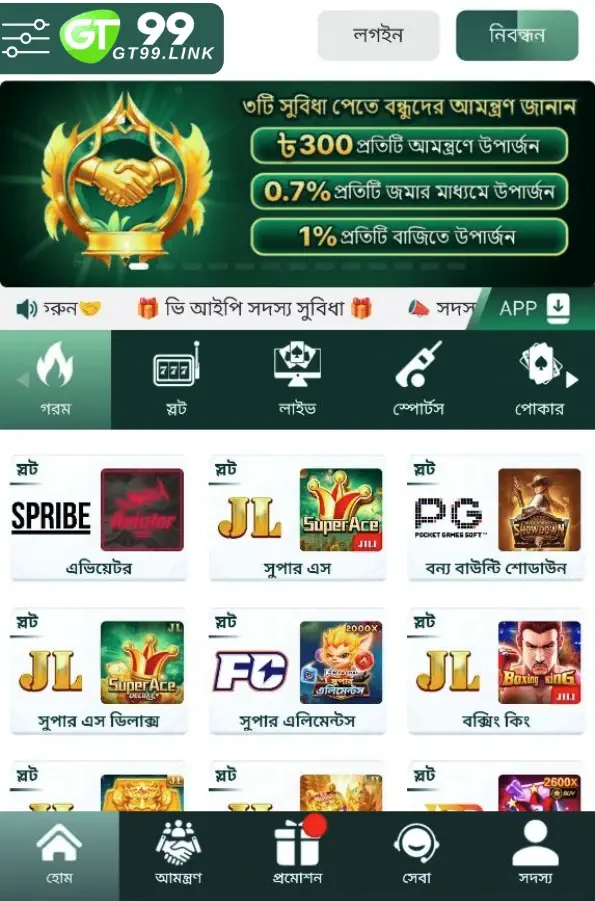
Step-by-step guide to download, install, and update the GT99 mobile app
- Open your mobile browser and visit the official site from a trusted bookmark or direct URL.
- Android: Tap the Download for Android button to get the latest GT99 apk. Confirm the file save if prompted.
- Android: Open the APK. If you see a security prompt, tap Settings and allow installs “from this source,” then return and tap Install.
- iOS: Tap the Share icon in your browser and choose Add to Home Screen for an app-like shortcut. Follow any on-screen prompts for notifications.
- Launch the app. Log in with your account or create a new one if you are a first-time user.
- Enable notifications so you never miss price moves, match starts, or limited-time offers.
Choose your device to start faster play with the official GT99 app
Android — Get the latest APK now: tap GT99 App Download and follow the on-screen steps.
iOS — Add to Home Screen from your browser for instant access and automatic updates.
Mobile features designed for quick logins, lighter data use, and clear menus
- Faster starts: one-tap open to the GT99 mobile app home.
- Biometric access: fingerprint or Face ID for quicker, safer entry.
- Smart notifications: match starts, price shifts, cashout reminders, and offers.
- Cricket-first layout: live scores, markets, and shortcuts during big matches.
- JILI highlights: easy access to trending slots and jackpot trackers.
- Cleaner bet slip: confirm stakes in fewer taps with improved clarity.
- Low data mode: lighter assets and cached content to save your plan.
- Dark mode: reduce eye strain and save battery during night matches.
Exclusive app alerts and time-limited offers for regular players in BD
Get push notices for reload boosts, match-day perks, and personalized deals. Watch for a featured GT99 bonus during peak tournaments and marquee cricket series.
Expect early alerts on price boosts for key fixtures and special drops on JILI titles. Turn on notifications so you act fast before quotas run out.

Safe installation, permission checks, and official update habits for peace of mind
Install only from the official site to avoid modified files. Check the version number and date before you tap Download.
On Android, you may see a prompt to allow installs from your browser or file manager. Approve it once, then switch it off after installing if you prefer tighter control.
On iOS, adding to Home Screen gives an app-like experience without extra permissions. Notifications and biometrics depend on your device settings.
Update from in-app prompts or the official site only. Avoid third-party stores. Keep your device OS updated to benefit from the latest security patches.
Verify your profile early. Using the same name as your bank or mobile wallet helps speed up reviews when you request a payout.
GT99 app download and installation FAQs for Android and iOS users in BD
Is the Android APK safe to install on my phone?
Yes, when you download it from the official site. Check the version, file size, and release date. Avoid third-party mirrors and store clones.
How do I install the Android app after the file finishes downloading?
Open the APK from your notifications or file manager. If prompted, allow installs from this source, then tap Install. Open the app and sign in.
Is there an iOS version of the app?
Use Add to Home Screen for an app-like shortcut. Enable notifications in your browser and system settings for match alerts and updates.
What permissions does the app need and why?
Notifications for offers and match starts, biometrics for quicker login, and storage access for caching images. You can manage these in device settings.
Can I deposit and withdraw inside the app?
Yes. You can manage payments using common local mobile wallets and bank transfers. For faster reviews, ensure your account name matches your payment name.
Get the app now and enjoy faster betting, scores, and smarter controls
Install in minutes and start with live cricket markets, JILI slots, and quick logins. Make your GT99 app download the easiest upgrade you do today.
New here? Create your account in-app and finish verification when prompted. Tap GT99 Register to get started and receive your welcome essentials quickly.